How Zoho One Helps Small to Medium Companies Manage Everything from One Platform

Key Takeaways (TL;DR) 

  • Zoho One for small to medium companies bundles apps like CRM, Accounting, HR, Support, and more in one login, and honestly, one subscription to rule them all.  
  • The data syncs automatically across the apps, so less manual entry and fewer reports that slowly turn into outdated memories.  
  • Sales, finance, HR, and support all run on connected apps, so the important info moves between departments on its own like it has a mind of its own.  
  •  Zoho Creator is in the suite too, so you can build custom apps instead of just picking generic templates and pretending they fit.  
  •  Zia, Zoho’s built-in AI assistant, brings up insights and flags potential issues across the suite automatically, which is helpful when you’re not checking everything. 

Ask any small to medium companies/owner how many logins their team uses in a normal week, and most won’t have an exact number. That’s usually the first sign something’s off. Not that any single tool is bad; it’s more like nobody actually sat down and planned how everything would work together. They just got added, one by one, as problems showed up, kind of quick and unsteady.

The cost shows up in small, annoying ways at first. Like re-typing the same customer details into two separate systems, or finding out the sales number in one dashboard does not match what finance is seeing. It’s rarely one huge failure. It’s more like a bunch of tiny ones, all stacking up. And Zoho One for small to medium companies is built specifically to close that gap, so you can reduce the chaos without losing control.

What Is Zoho One for Small to Medium Companies?  

Most small to medium companies don’t begin with one perfect system. They usually start piecemeal, like a CRM here, an accounting tool there, maybe a separate app for HR, and then a few spreadsheets holding everything together. That works for a while. Then the business grows, and suddenly nobody is sure which version of a customer record is the correct one, or where the latest notes are actually stored.  

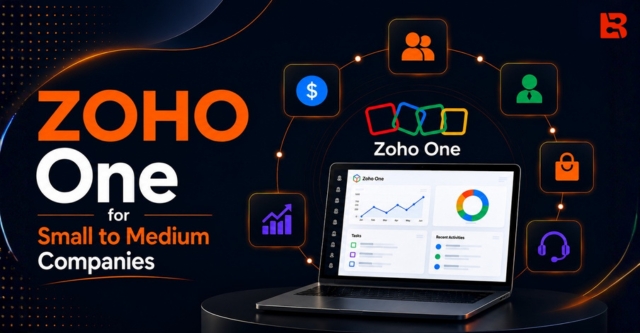
Zoho One for small to medium companies exists to solve that mess. It’s one subscription that gives your business access to Zoho’s full catalog of apps, including Zoho CRM, Zoho Books, Zoho People, Zoho Desk, Zoho Creator, and dozens more, all controlled under one login and one admin panel.  

 Zoho One vs Separate Business Apps 

Features Separate Business Apps Zoho One
Login One login for each tool (often 6-7+ separate logins) Single sign-on for the whole Zoho suite
Data Transfer  Manual data transfer between systems Automatic data synchronization across all apps
Reports Reports generated separately from each tool, so insights get stale Unified, real-time reporting across the business
Error Risk Higher due to manual entry and duplicate work Lower as data is entered once and shared automatically
Cost Structure Multiple subscriptions from different vendors Single bundled subscription 
Customization Limited to the capabilities of individual applications Highly customizable with Zoho Creator and integrations
Administration Users, roles, and permissions managed separately for each application Centralized user, role, and permission management across all apps

Zoho One for small to medium companies takes a totally different approach, not like you have separate vendors and separate logins, everything ends up living under one platform and the apps are designed to share data with each other automatically, so you can manage your business instead of using separate tools.

So when a deal closes in Zoho CRM, it can update your books, your project tracker, and your support system without anyone doing the spreadsheet thing. Honestly, the main win with business automation with Zoho is basically bridging that same disconnect across every department, at once.

How Zoho One Connects Every Part of Your Business

So how does Zoho One work in practice? It connects every department through the same underlying platform, starting with sales.

Sales

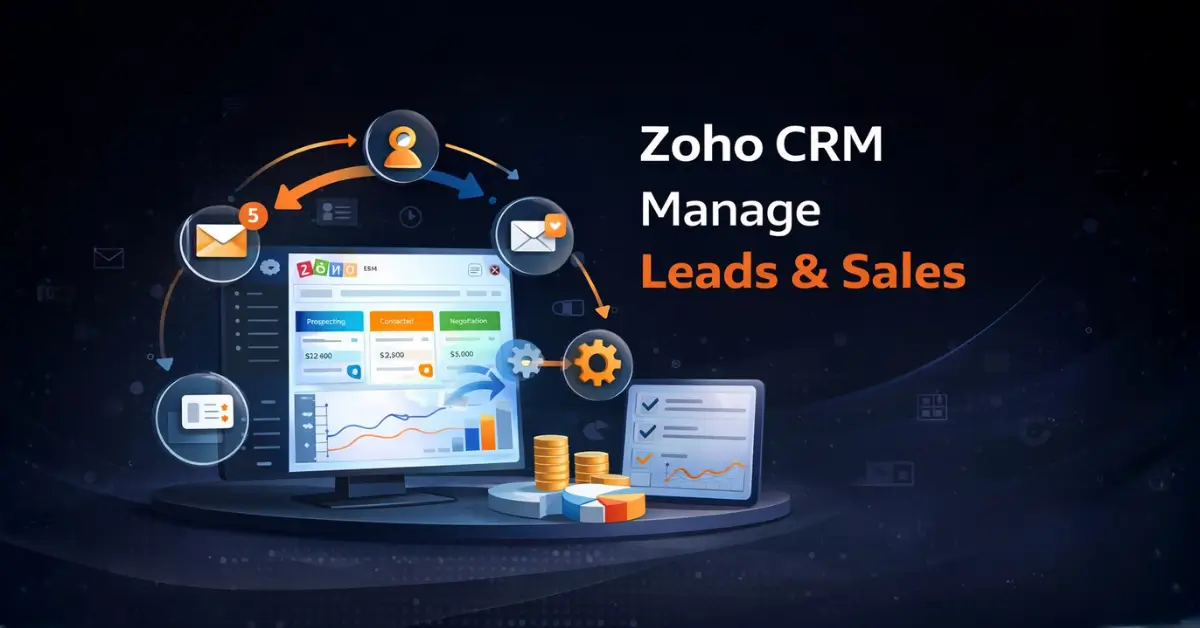
Every sales team has its own way of working, and Zoho CRM inside Zoho One is built to flex around that, not forcing some stiff pipeline on everyone. Lead tracking, quotes, follow-ups, and customer history all sit in one place. Then the same information just feeds into the rest of the suite smoothly.

For a closer look at how this works day to day, every sales team has its own way of working, and Zoho CRM inside Zoho One is built to flex around that instead of forcing a rigid pipeline. It’s the same system explained in Zoho CRM lead management, where quotes, follow-ups, and customer history feed straight into the rest of the suite.

Finance & Accounting

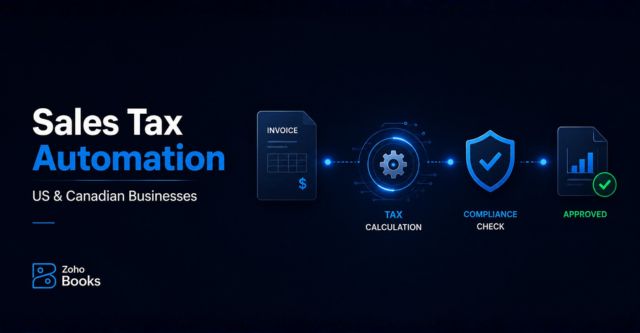
Zoho Books handles invoicing, expenses, and financial reporting, and since it’s part of Zoho One, it’s already connected to your sales and inventory data. For businesses operating across the US and Canada, sales tax automation for US and Canadian businesses is one layer small to  medium sized teams often underestimate until it turns into a real headache.

HR & People

Onboarding, time off requests, performance tracking, internal approvals- Zoho People covers the basics most small to medium size businesses need without you having to bolt on a separate HR platform and pretend it all plays nicely together.

Customer Service

Zoho Desk gives your crew one place to handle support tickets, customer history, and even response times. Because it sits right inside the same platform as your CRM, support reps can check a customer’s sales history; no need to ask someone from another department.  

Custom Workflows with Zoho Creator  

This part is where Zoho One for small to medium companies kind of goes farther than what most all-in-one software actually delivers. Zoho Creator is included in the suite, and it lets you craft custom apps and automate workflows that match how your business really runs, not just how some generic template presumes it should.

You can set up a custom approval process , add a client onboarding form, keep an internal request tracker, and if the standard apps do not quite match your needs, Creator lets you create that missing piece.  

Ready to run your business on one platform ?

Get a setup built around how your business actually works.

Benefits of Running Zoho One for Small to Medium Companies

  • One login, instead of five or six separate tool subscriptions  
  • Information moves between departments automatically, so nobody is re-entering the same details twice.  
  • Less apps to manage means fewer headaches when something breaks , or when it refuses to cooperate.  
  • New employees pick up one steady interface instead of juggling a different login for every single job function.  
  • Reporting shows the whole business, not only whatever one app happens to be tracking.

Real Business Problems Zoho One Solves for Small to Medium Companies

Imagine a small retail shop, running one point of sale system, plus a separate CRM, then still using a spreadsheet for inventory. Each time you make a sale, you end up updating three spots by hand. And at the end of the week, the totals rarely line up the way you’d hope, not really clean. Zoho One for small to medium companies keeps it together, though: the sale, the customer record, and the inventory figure all move at once because they sit on the same platform instead of three loosely tied tools that never quite agree.  

You see that same story in service companies, agencies and product businesses too. Wherever a business has people manually bridging the gap between apps, that’s usually where Zoho One steps in and earns its keep, even if nobody wants to admit how often it happens.  

For retailers specifically, those connected workflows lead to a smoother shopping flow and better customer relationships, with Zoho One for retail.

How AI Makes Zoho One Smarter ?

Zoho One includes Zia, Zoho’s built-in AI assistant, and it shows up across several of the apps. Zia can surface useful insights from your CRM information, suggest a next action on deals, and highlight anomalies in reports before they grow into real issues. 

It’s not supposed to replace how your team normally works, more like a thin safety layer that catches patterns a busy group might overlook while they’re juggling everything else.  

And for small to medium businesses that don’t have a dedicated data or analytics person, this matters a lot more than it sounds. Basically, some of the analysis happens automatically in the background, instead of someone having to assemble the reports and interpret them manually every single week.

Is Zoho One Right for Your Small to Medium Companies?

Imagine a little retail shop running separate bits for point-of-sale, a CRM, and then a spreadsheet for the stock.

With Zoho One for small to medium companies, the same situation feels different:

  • Point-of-sale: You ring the sale up once, and the transaction record basically shows up automatically, so there’s no need to re-enter that information somewhere else later.  
  • Customer record: The buyer’s purchase history updates in the CRM right away. So when you do support, marketing, or even a repeat sale, you’re not working blind; you’ve already got the full context.                      
  • Inventory: Stock counts shift in real time as the sale moves through, instead of waiting around for someone to remember the spreadsheet update after.  
  • Reporting: Those end-of-week figures actually reflect reality, because all three areas were updated from the same transaction instead of being copied over, one by one, through separate manual entries.

Final Thoughts

Zoho One isn’t just a bigger bundle of apps. It’s more like a different operating rhythm, where sales, finance, HR, and support pull from the same underlying source instead of living in their own little silos. And yeah, it’s not only the number of apps included; it’s the way they connect, and how smoothly that connection works in practice.

So if your team is still stitching together individual tools, and kind of hoping the totals will magically line up by week’s end, maybe it’s time to see what a connected platform feels like. Our team can go through what a Zoho One setup might look like for your business, step by step.

Frequently Asked Questions

Is Zoho One suitable for small to medium companies ?

Yes, Zoho One can be suitable for small to medium companies,especially when you are working with different departments. That’s basically the moment where swapping logins, and then re-entering the same details starts eating up real minutes, also it eliminates the cost of paying for separate tools.

What is the difference between Zoho One and Zoho CRM?

Zoho CRM is basically one focused app for managing leads, deals, and the whole customer relationship side. Zoho One is the broader bundle, it includes Zoho CRM plus a lot of other apps, for example, finance, HR, support, and even building custom applications. So it is more of a complete ecosystem rather than just one piece.

Can Zoho One be customized for our specific processes?

Yes, and this is where it gets pretty useful for teams that do things their own way. Zoho One includes Zoho Creator, which lets you create custom apps and automate workflows that match how your business actually operates, instead of sticking only with the standard out of the box setup.

How long does a Zoho One implementation take?

It depends on how many departments and processes are involved, and also whether you want custom development beyond the standard apps. A simple setup can happen faster, but if you have to migrate data from several existing systems, that will usually take longer.

Is Zoho One cost-effective compared to using separate apps?

For most small to medium companies, yes especially if you are already using more than one or two tools right now. One Zoho One subscription often comes out cheaper than paying for multiple standalone tools separately, plus it helps avoid the sneaky cost of having to manually connect everything. 
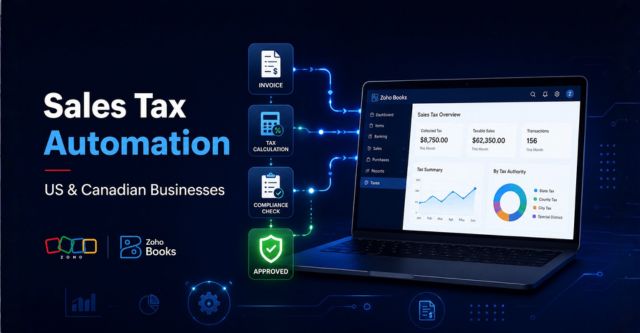
Sales Tax Automation for US & Canadian Businesses Using Zoho

Running a business across North America creates some exciting opportunities, but it also makes sales tax more complex than you might think.

A business in the United States may need to collect state, county, and city taxes, while in Canada you’re often dealing with GST, HST, PST or QST.

For growing companies this stuff can feel like too much too fast, especially if you try to handle it manually. One small tax error can cause compliance trouble, penalties, and then you end up spending hours fixing it. This is where Sales Tax Automation makes a real difference.

Zoho Books automatically works out the correct tax based on your registrations, the customer’s location, product category, and any exemption status.

If you operate across the US and Canada, Sales Tax Automation helps you stay compliant, reduce mistakes, and free up a lot of valuable time.

What Is Sales Tax Automation?

Sales Tax Automation is basically the use of software to calculate, apply, monitor, and report taxes automatically, without all the fuss.

In plain terms, the setup determines:

  • Where your customer is located
  • What product or service is being sold
  • Whether the customer is tax exempt  
  • Which tax authorities apply
  • What rates should be charged

The software then adds the correct tax to the transaction instantly. It’s kind of like using GPS instead of a paper map, only more fiddly.

You still choose the destination, but the software handles the complicated route parts, even when it gets messy and you’re not sure what’s next.

Why Sales Tax Is So Complex in the US and Canada

Sales tax compliance in North America is not exactly straightforward.

In the United States tax rules vary by state and often by county, plus city rules can change the outcome too. A single order may involve several tax jurisdictions at the same time, which makes manual tracking a headache. Businesses also have to watch economic nexus thresholds, basically the point where they get legally pulled into collecting tax in a specific state. It can be confusing , because the “trigger” is very particular.

In Canada, a business may have to deal with different kinds of tax frameworks , like GST , HST, PST, and QST. Each province has its own set of requirements, and honestly those requirements can shift along the way, sometimes without much notice.

As your business grows, the complexity multiplies pretty fast.

Selling to one new state or province may create an entirely new set of compliance requirements.

Why Businesses Are Moving Toward Sales Tax Automation

Many companies begin with spreadsheets and manual calculations.

At first, this worked. But as order volume increases, the process becomes difficult to maintain.

Your accounting team may spend hours each week:

  • Verifying tax rates
  • Correcting invoices
  • Updating spreadsheets
  • Tracking exemptions
  • Preparing tax reports

This manual effort slows down operations and increases the risk of mistakes.

Sales Tax Automation removes these repetitive chores and makes sure every transaction is calculated the same way, every time, so you don’t end up wondering if anything slipped through.

How Zoho Books Handles Sales Tax Automation

Zoho Books includes built-in Sales Tax Automation for businesses in the US and Canada.

Sales Tax Automation

Once activated, the system automatically figures out the correct tax using your business registration details, customer addresses, product tax categories, and the current tax rules.

This means that whether you create:

  • Quotes
  • Sales orders
  • Invoices
  • Credit notes

the correct tax is applied automatically.

If you are new to the Zoho ecosystem, our guide on What Is Zoho and How Can It Help Your Business? walks you through how Zoho ties together finance, sales, operations, and customer management into one unified platform.

Key Features of Sales Tax Automation in Zoho

Zoho Books offers a practical set of features designed to simplify tax compliance.

  • Automatic Tax Calculation: The software calculates taxes instantly based on customer location, and the taxability rules tied to that situation.
  • Real-Time Tax Rate Updates: Tax rules and rates are refreshed automatically when regulations change.
  • Nexus Management: You can register the states and provinces where your business is required to collect tax.
  • Exemption Handling: Tax-exempt customers such as resellers and nonprofits are managed accurately.
  • Audit-Ready Reporting: More detailed tax summaries can make filings easier and help you answer audits with more confidence, not just hope.

Sales Tax Automation for Ecommerce Businesses

Ecommerce companies often create tax obligations in multiple jurisdictions without realizing it.

Selling through platforms such as Shopify, Amazon, and eBay can trigger economic nexus in several states.

Without automation, each order must be checked manually.

With Sales Tax Automation, every order is taxed correctly based on the customer’s location and applicable rules.

This reduces administrative work and helps prevent costly compliance mistakes.

How Sales Tax Automation Supports Business Automation

Tax automation is part of a larger trend toward smarter business systems.

Companies are increasingly swapping out manual work, for connected software, that cuts repetitive tasks and gives better visibility.

If you want to understand how automation can mess with and transform your day to day operations, read our article on Business Automation with Zoho: Solve Common Business Problems.

That page explains how businesses use Zoho to automate accounting, approvals, inventory, and customer workflows, in a way that feels pretty efficient overall.

Sales Tax Automation for Sales and CRM Teams

Tax compliance does not only affect accountants.

Sales teams also benefit when invoices are generated accurately and quickly.

When Zoho Books integrates with Zoho CRM, customer and deal information flows directly into your accounting system.

This reduces duplicate data entry and speeds up order processing.

To learn more, explore our guide on How Zoho CRM Helps Manage Leads and Sales in One Place.

Benefits of Sales Tax Automation

Businesses that implement Sales Tax Automation typically experience several immediate benefits.

  • Less manual work for accounting teams
  • More accurate invoices
  • Faster billing cycles
  • Reduced compliance risk
  • Better audit readiness
  • Easier expansion into new markets

The greatest benefit is confidence.

You know that every invoice is being calculated using current tax rules and your registered jurisdictions.

Who Should Use Sales Tax Automation?

Sales Tax Automation is ideal for businesses that sell across multiple states or provinces, including:

  • Ecommerce stores
  • SaaS companies
  • Manufacturers
  • Wholesale distributors
  • Subscription businesses
  • Professional service firms

If your company is growing and tax compliance is becoming more complex, automation is one of the smartest investments you can make.

Final Thoughts

Sales tax is one of the most complicated parts of running a business in the United States and Canada.

But it does not have to swallow up your team’s time.

Sales Tax Automation helps companies calculate taxes correctly , reduce manual effort, and remain compliant as they expand.

With Zoho Books, the whole flow feels smooth. Every transaction is reviewed, the correct tax rate is applied, and each invoice is produced with confidence.

Your team then spends less time second guessing calculations and more time building something stronger.

How Zoho CRM Helps Manage Leads and Sales in One Place

Businesses today face their greatest challenge when they need to handle their lead and sales responsibilities. Different sources bring in leads whereas businesses fail to follow up with leads and sales information gets distributed between various systems.

Businesses lose conversions because of their unstructured operations which also restrict their growth potential.

Zoho CRM serves as the solution for this situation.

This blog will show how Zoho CRM enables you to combine all your lead and sales management activities into a single platform.

What is Zoho CRM?

Zoho CRM is a cloud-based system which enables businesses to manage customer relationships and monitor leads and control sales activities through organized methods.

The platform serves as a unified system that organizes your sales activities which simplifies the process of managing your business.

With Zoho CRM, businesses can:

  • Capture leads from multiple sources
  • Track deals across different stages
  • Automate follow-ups and tasks
  • Monitor team performance

Challenges in Managing Leads and Sales

Before businesses implement a CRM system their staff members experience:

  • Leads scattered across emails, forms, and calls
  • Missed or delayed follow-ups
  • No clear visibility into sales pipeline
  • Manual tracking using spreadsheets
  • Difficulty in measuring sales performance

These issues create inefficiencies which prevent organizations from closing deals successfully.

How Zoho CRM Helps Manage Leads and Sales

1. Centralized Lead Management

Zoho CRM collects leads from various sources like websites, ads, emails, and calls into one system.

This ensures:

  • No lead is missed
  • All data is organized in one place
  • Easy access to customer information

2. Clear and Structured Sales Pipeline

Zoho CRM allows you to design your sales pipeline based on your actual sales process.

You can:

  • Track deals at every stage
  • Monitor progress in real time
  • Identify delays or bottlenecks

The system enables complete control over your entire sales operations.

3. Automated Follow-Ups and Workflows

Salespeople need to follow up with customers yet they often forget to do so when they perform the task manually.

The system of Zoho CRM provides three automation functions for businesses.

  • Automating follow-up emails and reminders
  • Assigning tasks automatically
  • Triggering workflows based on actions

The system of Business Automation with Zoho provides evidence about how business operations become more effective through automation.

4. Complete Activity Tracking

The platform of Zoho CRM records every customer interaction which includes all customer communication methods.

  • Calls
  • Emails
  • Meetings
  • Notes

This database provides your team with full access to all customer information which enhances their communication abilities and decision-making abilities.

5. Real-Time Reporting and Insights

Zoho CRM provides dashboards and reports that help you:

  • Track sales performance
  • Monitor team productivity
  • Analyze conversion rates

The business uses these insights to make decisions which they base on actual data.


How Zoho CRM Improves Business Efficiency

Zoho CRM enables businesses to enhance their sales activities by consolidating all sales activities into a single system.

  • Reduce manual work
  • Improve response time
  • Increase lead conversion rates
  • Maintain better customer relationships
  • Improve overall sales performance

If you want to know the mechanism of Zoho to support the entire business operations, one may refer to What is Zoho and How Can It Help Your Business?


Zoho CRM as Part of a Connected System

Zoho CRM works best when connected with other Zoho applications:

  • Zoho Books for financial management
  • Zoho Creator for custom workflows
  • Zoho One for complete business management

The system creates a single operating system which connects every department of the organization to work in harmony.

Who Should Use Zoho CRM?

The system of Zoho CRM serves two main user groups who require functionality for their business needs.

  • Businesses handling multiple leads daily
  • Sales-driven teams
  • Growing companies looking for structured processes
  • Organizations aiming to improve conversion rates

Key Benefits of Using Zoho CRM

  • Centralized lead and customer data
  • Better visibility into sales pipeline
  • Automated workflows and follow-ups
  • Improved team coordination
  • Data-driven decision-making

Conclusion

Business growth requires companies to use effective methods for lead management and sales processing.

Zoho CRM provides a structured and connected system that helps businesses track leads, manage deals, automate processes, and improve overall performance.

The system unifies all elements into one location which helps to clear up confusion and decrease manual tasks while teams concentrate on closing deals.

Business Automation with Zoho: Solve Common Business Problems

The process of running daily operations becomes harder for companies to manage when their operations begin to expand. The teams need to manage potential customers while maintaining contact with current clients and entering information and observing their achievements and working with other business units. The majority of work activities involve performing similar tasks again and again which consumes most of the available time and energy.

This is where business automation becomes essential.

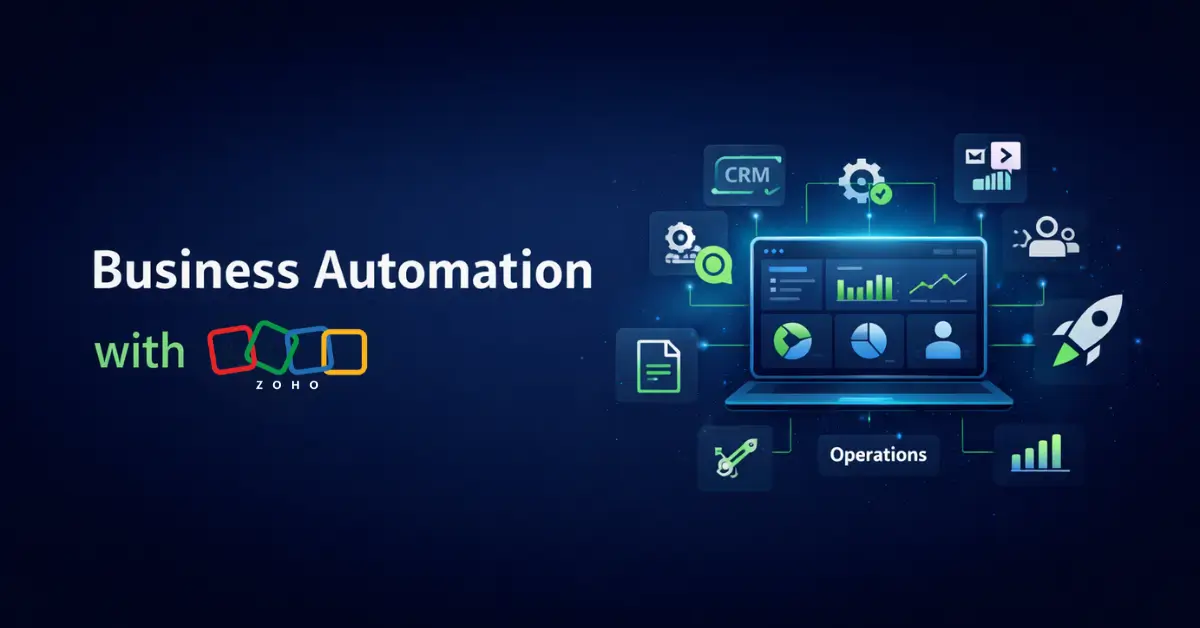
Businesses can achieve better operational efficiency through automated workflows which decrease manual errors. Zoho provides an all-inclusive business ecosystem that enables you to automate your entire organization using predefined automation methods.

If you’re new to Zoho and want to understand the platform first, you can explore our detailed guide on what Zoho is and how it helps your business, which explains how all Zoho applications work together.

The blog will explain how business automation operates and the ways Zoho provides solutions to common operational issues.

What is Business Automation?

Business automation uses software to conduct repetitive business operations which require no human control.

These tasks can include:

  • Assigning leads to different sales teams
  • Sending follow-up emails and reminders
  • Updating customer records
  • Managing approvals and workflows
  • Generating reports and dashboards

The primary purpose of business automation establishes an automated system which executes standard tasks while employees concentrate on critical business functions.

Why Business Automation is Important for Modern Businesses

The modern business environment requires companies to achieve quick results because operational efficiency determines their success.

The handling of manual tasks creates operational delays which result in missing communication links between different departments.

The main challenges businesses must handle today include these topics:

  • Delayed responses to leads and customers
  • Errors caused by manual data entry
  • Lack of coordination between teams
  • Difficulty in tracking performance
  • Time-consuming reporting processes

Business automation solves these business challenges through its ability to establish standardized workflow systems which execute processes in a predictable manner.

Zoho makes this easier by offering tools that are designed to automate processes across departments. To understand the complete ecosystem behind this, you can also read our guide on what Zoho is and how it helps your business.

How Zoho Enables Business Automation

The collection of Zoho applications enables businesses to automate their various operational processes.

For example:

  • Zoho CRM helps automate lead capture, assignment, and follow-ups
  • Zoho Creator allows businesses to build custom workflows and automate internal operations
  • Zoho One connects all applications into one unified system for complete automation

The software tools enable seamless data transfer between different systems which connects all business operations in your organization.

Common Business Problems Solved by Business Automation

1. Missed Leads and Inconsistent Follow-Ups

Businesses that use human operators to manage their leads lose potential business chances. The automated system tracks all leads from initial contact until final assignment and subsequent follow-up operations are executed at scheduled intervals without any delays.

2. Repetitive and Time-Consuming Tasks

Data entry and status updates and reporting tasks require substantial time commitment. Automated systems take over these responsibilities through their capability to conduct tasks without human input.

3. Lack of Process Standardization

Unclear process definitions lead to inconsistent team performance. Automated systems develop workflows which require workers to complete their duties according to established procedures.

4. Poor Team Coordination

Disconnected tools lead to communication gaps. Automation establishes connections between different departmental workflows, which enables all employees to access identical data together with its ongoing modifications.

5. Slow Approval Processes

Manual approvals can delay operations. Automated workflows ensure that approvals happen quickly with instant notifications and predefined rules.

6. Limited Visibility into Business Performance

The businesses need effective reporting systems which will help them track their performance progress. The automated system shows operational data through real-time dashboards which help decision-makers choose better options.

Key Benefits of Business Automation with Zoho

1. Improved Efficiency

The process of automation decreases the need for humans to work manually while it accelerates all operational tasks which leads to greater organizational efficiency.

2. Better Accuracy

The system achieves automated workflow execution which prevents human errors while all system components maintain matching data.

3. Increased Productivity

Employees can dedicate their time to work with high value because they no longer need to complete tasks which require repeated work.

4. Enhanced Customer Experience

The businesses achieve better customer satisfaction because they respond more quickly to customer inquiries while maintaining better communication with customers.

5. Scalable Operations

The implementation of automation will help your business maintain its operational procedures because your organization continues expanding.

Real-World Use Cases of Business Automation

The businesses use Zoho automation to manage their:

  • lead and sales pipeline operations
  • Automat customer follow-up procedures
  • Handling financial processes like invoicing and reporting
  • Managing internal workflows and approvals
  • Tracking their performance through live dashboard systems

These use cases show how automation can be applied across different business functions to improve overall efficiency.

Why Zoho is a Strong Choice for Business Automation

Zoho provides businesses with its complete ecosystem which contains all necessary tools for business automation.

Businesses prefer Zoho because:

  • It offers multiple applications under one platform
  • It supports customization based on business needs
  • It integrates smoothly across departments
  • It is cost-effective and scalable

Your assessment of Zoho will improve when you learn about its complete system which shows how your business will benefit from automation.

Conclusion

Business automation is essential for businesses that want to improve efficiency, reduce manual work, and scale operations effectively.

Zoho provides a practical and flexible platform to implement automation across sales, operations, finance, and more. By creating structured workflows and connecting different processes, businesses can operate more efficiently and focus on growth.

If your business is facing challenges with repetitive tasks and inefficient workflows, automation with Zoho can be the right solution.

How may we help you?